LAMINATE / Interactive review
Keep your judgment
in the loop.
Inspect the images, step through lesions and decide what goes into your report. LAMINATE supports your review; the decisions stay with your team.
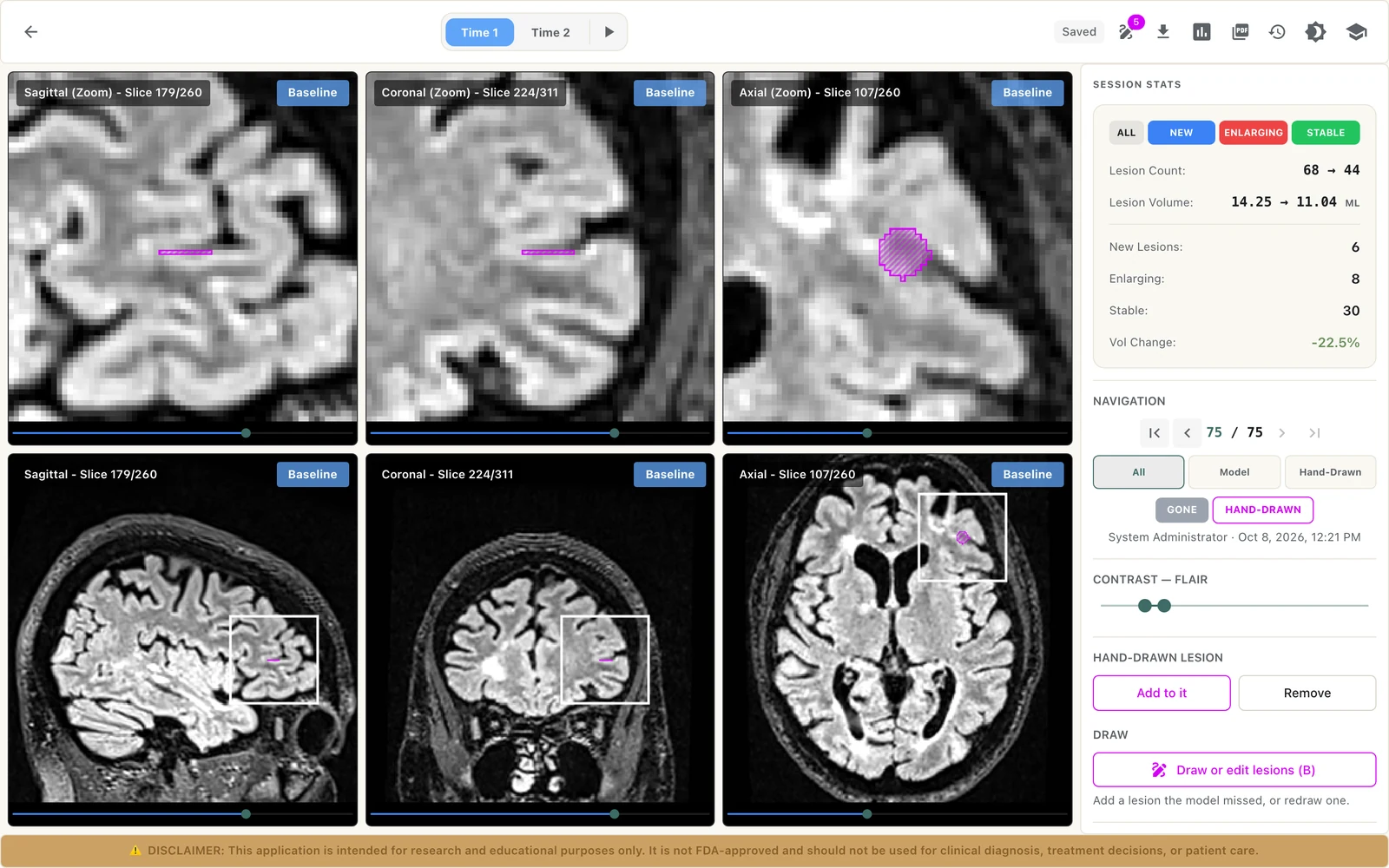
In both viewers
- Three planes with a crosshair, zoom, and window and level.
- The lesion mask on or off, as a fill or an outline.
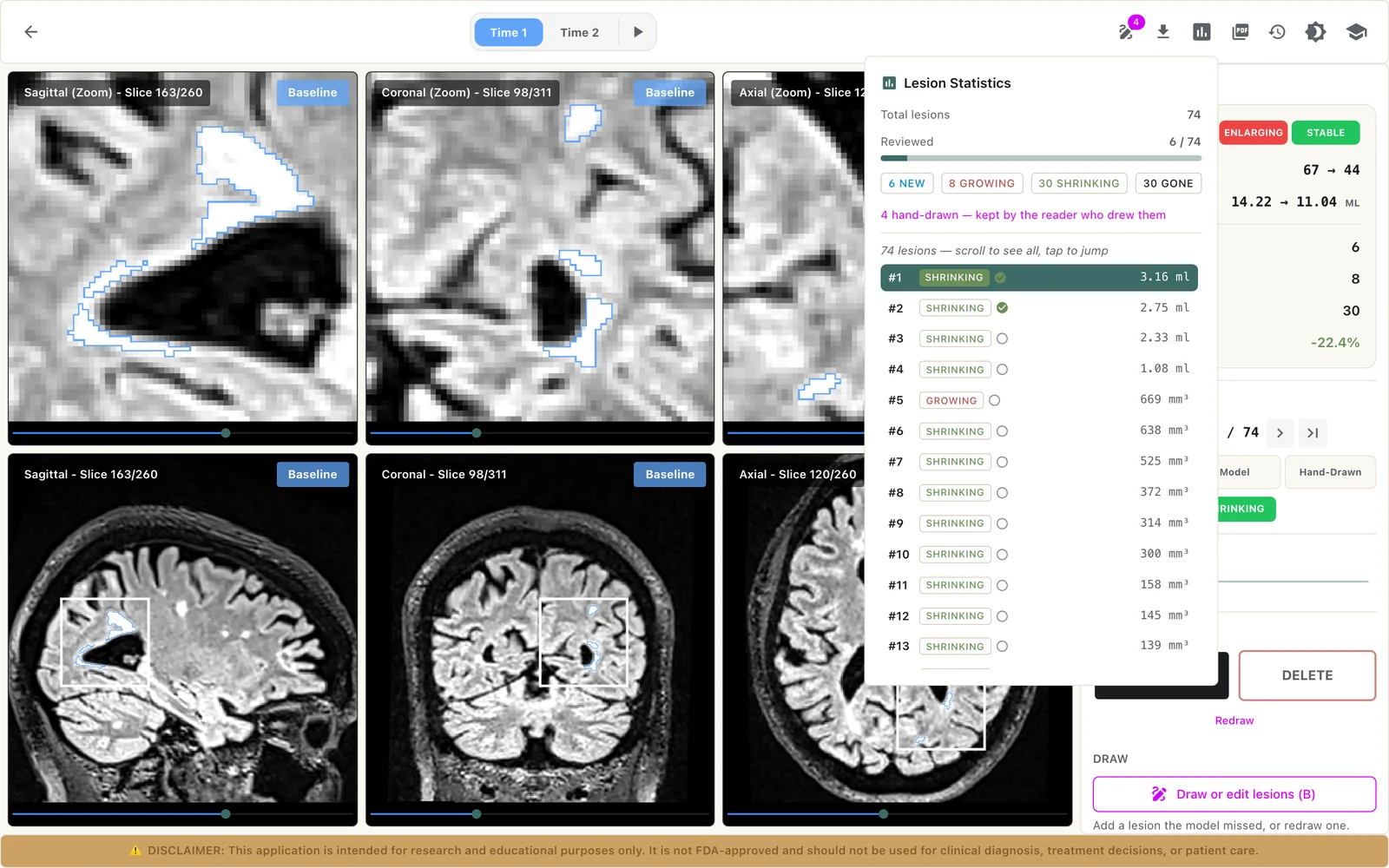
- A lesion list with first, previous, next and last, and keyboard shortcuts.
- An interactive tutorial inside each viewer.
- Autosave, undo and redo, and a version history you can restore from.
Reports
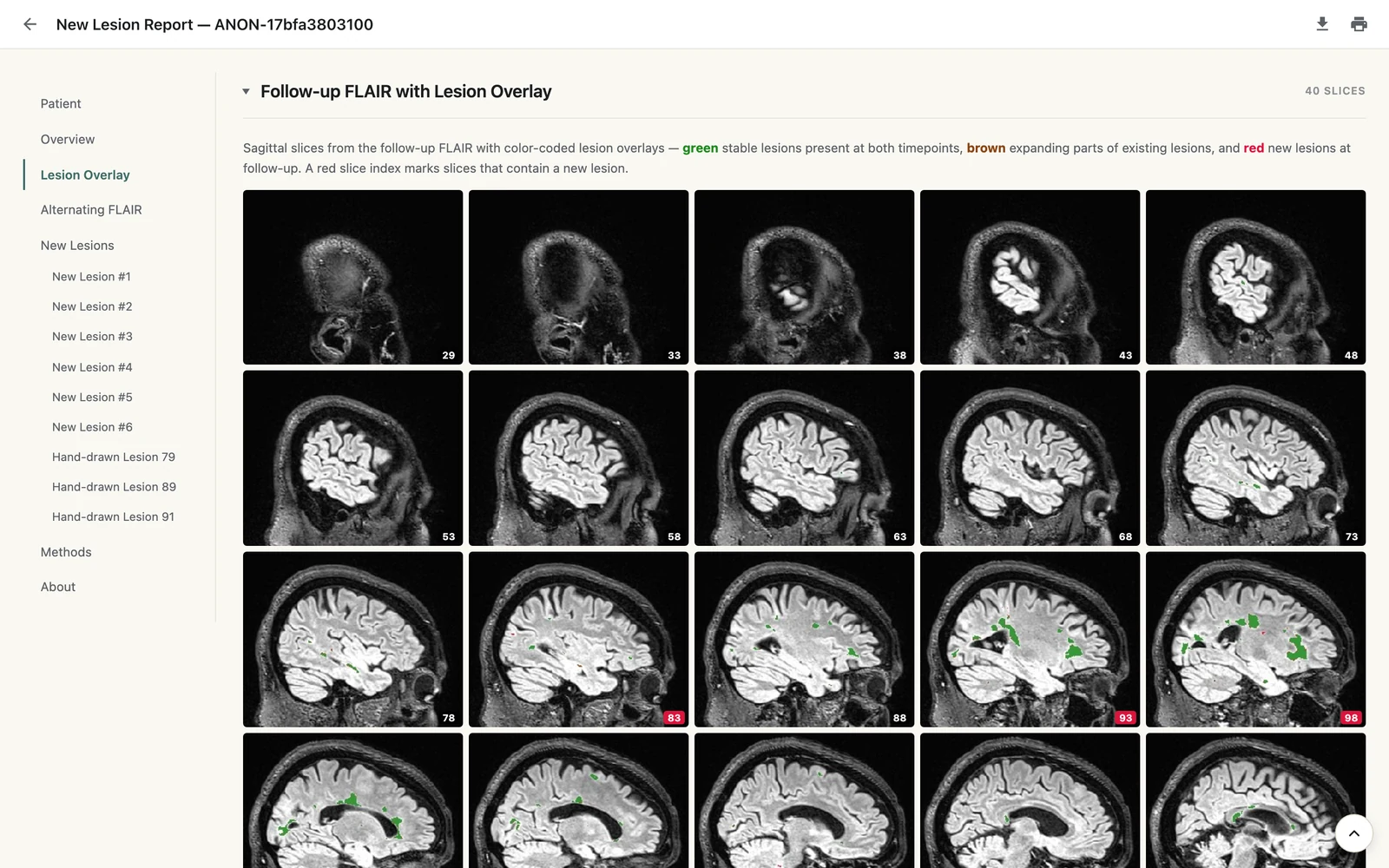
- View the report in the browser, download it as HTML, or save it as PDF.
- Longitudinal reports include measurements, comparison images and a methods section.
- Single timepoint reports show lesions, volume, possible central vein sign and paramagnetic rim.
From result to report
Open the result
Open a completed analysis from the Analysis Studio, in the Single Timepoint Viewer or the Longitudinal Viewer.
Go lesion by lesion
Step through the lesions and look at each one in all three planes, with the model’s mask shown or hidden.
Decide
Keep or delete lesions, correct masks, and score central vein sign and paramagnetic rim by hand.
Report
Generate the report. Your edits are saved with a history of who changed what, and when.
What the two viewers offer
- Single Timepoint Viewer: FLAIR*, SWI, FLAIR and Phase, with likelihood-of-vein scoring and a paramagnetic rim mark.
- Longitudinal Viewer: baseline and follow-up, with lesion status and keep or delete decisions.
- Draw a lesion the model missed, or redraw one, with brush, lasso, magic wand and eraser.
- Mask editing in the Longitudinal Viewer: clone, merge and reset.
- Runs in the browser, on screens of at least 1280 × 720.
what it does not do
Good to know
- There are no free-text comments or measurement tools in the viewers. Review decisions are keep or delete, scores, and edits to the lesion masks.
- Reports are edited and versioned, not signed off. LAMINATE has no sign-off or e-signature step.
- Review stays with your team: LAMINATE does not make a diagnosis.
This application is intended for research and educational purposes only. It is not FDA-approved and should not be used for clinical diagnosis, treatment decisions, or patient care.